HTML CLASS-2 (BASIC TAGS)
Note:- If you not read the HTML CLASS-1 (HTML OVERVIEW) Then first read that post, by clicking on it.
Heading Tags-
,
,
,
,
, and
. While displaying any heading, browser adds one line before and one line after that heading.
,
,
, and
. While displaying any heading, browser adds one line before and one line after that heading.
, and
. While displaying any heading, browser adds one line before and one line after that heading.
(adsbygoogle = window.adsbygoogle || []).push({});
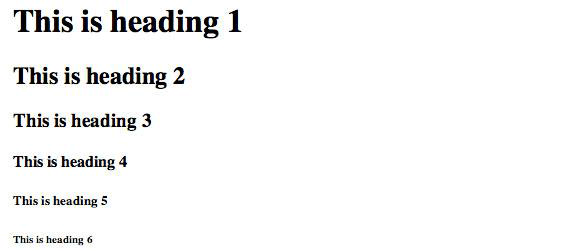
This is heading 1
This is heading 2
This is heading 3
This is heading 4
This is heading 5
This is heading 6
//pagead2.googlesyndication.com/pagead/js/adsbygoogle.js
(adsbygoogle = window.adsbygoogle || []).push({});
 The
The
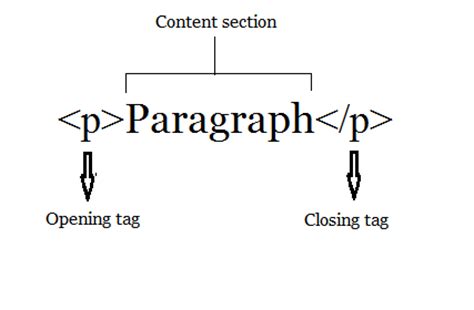
tag offers a way to structure your text into different paragraphs. Each paragraph of text should go in between an opening
and a closing
tag as shown below in the
Here is a first paragraph of text.
Here is a second paragraph of text.
Here is a third paragraph of text.
//pagead2.googlesyndication.com/pagead/js/adsbygoogle.js
(adsbygoogle = window.adsbygoogle || []).push({});
element, anything following it starts from the next line. This tag is an example of an empty element, where you do not need opening and closing tags, as there is nothing to go in between them.
tag has a space between the characters br and the forward slash. If you omit this space, older browsers will have trouble rendering the line break, while if you miss the forward slash character and just use
it is not valid in XHTML.
Hello
//pagead2.googlesyndication.com/pagead/js/adsbygoogle.js
(adsbygoogle = window.adsbygoogle || []).push({});
This text is not in the center.
This text is in the center.
tag creates a line from the current position in the document to the right margin and breaks the line accordingly.
This is paragraph one and should be on top
This is paragraph two and should be at bottom
tag is an example of the empty element, where you do not need opening and closing tags, as there is nothing to go in between them.
element has a space between the characters hr and the forward slash. If you omit this space, older browsers will have trouble rendering the horizontal line, while if you miss the forward slash character and just use
it is not valid in XHTML
tag will preserve the formatting of the source document.
//pagead2.googlesyndication.com/pagead/js/adsbygoogle.js
(adsbygoogle = window.adsbygoogle || []).push({});
...
tags
An example of this technique appears in the movie "12 Angry Men."
 AZMOVIEZ